New: the Print.com plugin for ChatGPT. Free for all Frequent Flyers.

YOUR PERSONAL PRINT ASSISTANT IN CHATGPT
500 flyers for Friday? A roll-up banner for your exhibition stand? Simply ask ChatGPT your print-related question, just as you would ask a colleague. The Print.com plugin will find the answers for you and provide instant responses, including your prices and delivery times. Not a Frequent Flyer yet? Sign up for a free Print.com account first.
Works with both the free and paid versions of ChatGPT.
Less time searching. More time getting things done.
Product codes to figure out? Endless filtering? Comparing specifications until your eyes glaze over? No need. Just tell us what you’re looking for, how much you want to spend or when you need it. The plugin searches your Print.com account for you.

Your prices. Not just a standard price list.
The plugin uses the prices and delivery times from your Print.com account. Connect it once and get answers tailored to you.

Need it a day earlier? Check.
See instantly which options meet your deadline, how much express delivery costs and which delivery options are available.

Ordering stays the same
Found the right option? Follow the link straight to our web app. Check the specifications and complete your order.
A look inside the chat
Example questions to copy and paste into ChatGPT
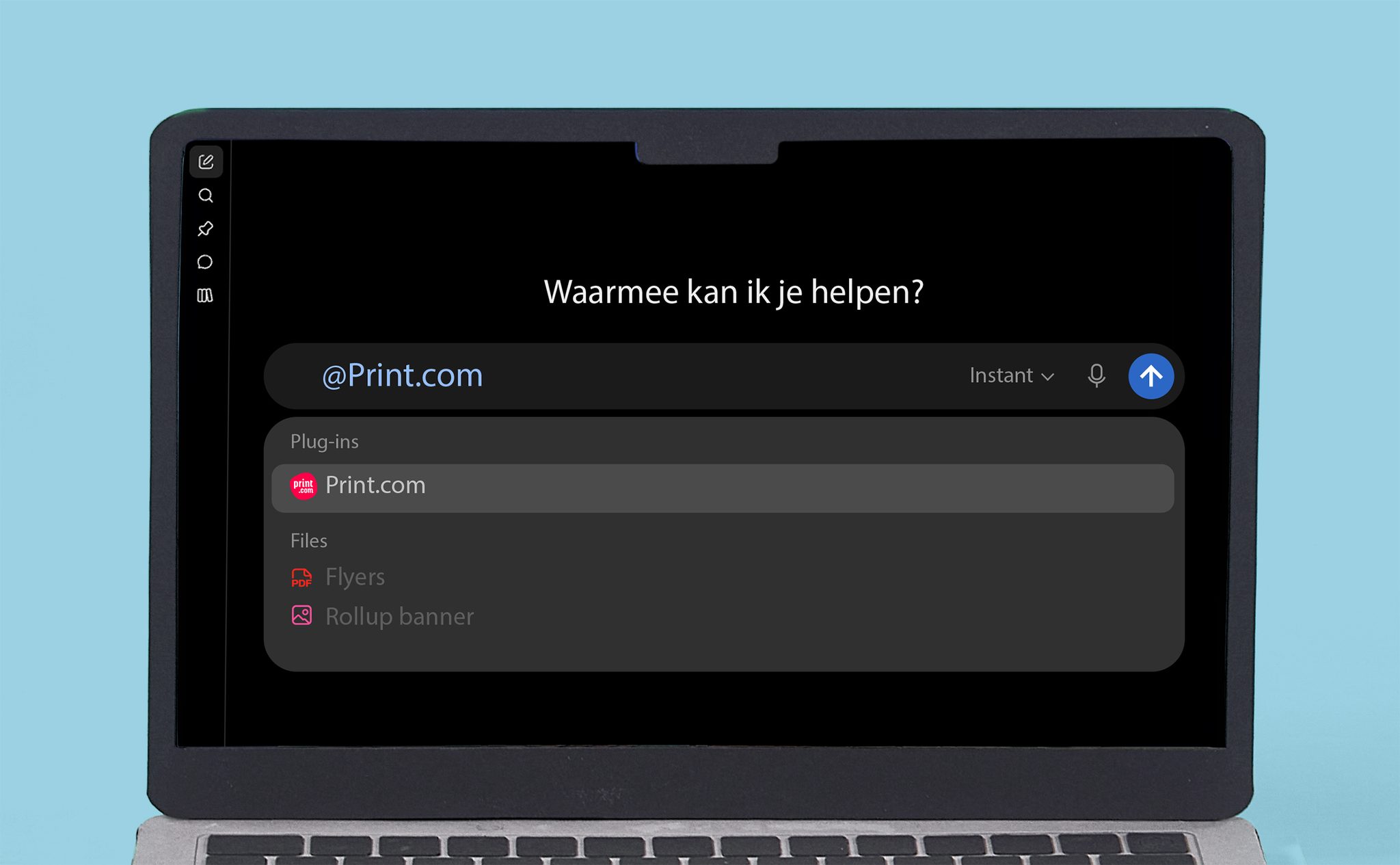
Choose a question, paste it into ChatGPT and adapt it to your print requirements. Select the Print.com plugin using the plus icon or type @Print.com to get started straight away.
I’ve got a trade show in three weeks. What merchandise can I still get delivered in time?
I have a £5,000 budget for the opening of 12 branches. What outdoor advertising and flyers could I order within that budget?
Which products are weather-resistant and suitable for an outdoor promotion in October? Give me your top 5, with prices for 20 units.
How much would the same set of 10 beach flags cost if I had them delivered to the Netherlands, Belgium and Germany? And would they all arrive on the same date?
Set up a complete configuration for 3 pavement signs so my branch manager can go straight ahead with the order. Send me the link.
I’d like to put together a personalised Christmas hamper for 100 employees. Which products can I choose from?
What our Frequent Flyers say
“The Print.com plugin in ChatGPT makes it quick and easy to process individual quote requests from my inbox. It’s been working really well so far! It saves me time and makes preparing print quotes much easier.”
Marco van Blijderveen
Burnio marketing & communicatie
“We use the Print.com plugin every day to automatically check our ongoing orders. At a glance, we can see what’s in progress and what’s been delayed. It saves us time, gives us a clear overview and avoids unnecessary admin.”
Patrick Peters
Drukkerij Peters Amsterdam
How to get started
Connect it once, then all you have to do is ask.

1. Add Print.com
Open ChatGPT, go to Plugins and enable the Print.com plugin.

2. Connect your account
Log in once with your Print.com account. From then on, the plugin will know your prices and delivery times.

3. Select Print.com and ask away
Select Print.com before starting a new conversation. ChatGPT can then access your account and get to work for you.
Tip: Select @print.com before you get started
Sending a new message? Make sure you select the Print.com plugin first using the plus icon, or type @Print.com. Otherwise, ChatGPT will answer based on general knowledge, without using your personal prices.
Questions you might have
Getting started
How do I activate the plugin?
Open ChatGPT, go to Plugins and search for Print.com. Connect your account (once you have one) and you’re ready to start asking your print-related questions.
Do I need a paid ChatGPT subscription?
A free ChatGPT account is all you need. Of course, the plugin also works with a paid subscription, on both desktop and mobile.
Ordering
Are these my prices or standard list prices??
Your prices. The plugin uses the prices from your own Print.com account, including price differences based on quantities and any personal pricing agreements. Without a connected account, the plugin cannot show you any prices.
Can I place an order directly from the chat?
Not quite. The plugin prepares your chosen configuration and provides a link to our web app. There, you can check all the specifications and complete your order. This way, you know exactly what you’re ordering before it goes into production.
Can I check the status of my orders?
Absolutely. Just ask which orders are still in progress and when you can expect them to arrive. The plugin will be found out for you, without you having to open our web app.
Can I change or cancel an order via the chat?
Not directly through ChatGPT. You can, however, check your orders and their status. Need to make a change or cancel an order? You can arrange that through our web app or customer service.
Can I upload my print file via the chat?
Not through ChatGPT. You can simply upload your print files in our web app when completing your order.
Your data
What happens to my data when I connect my account?
We don’t share any personal data with ChatGPT to connect the plugin to your account. This is done using a token. Print.com determines how the connector is set up and which data the tools return. Your ChatGPT account determines how long conversations are stored, who can access them and whether they can be used to train models. This is all governed by the terms and conditions of your ChatGPT account, which we cannot change or access. We recommend checking ChatGPT’s Data Processing Addendum and Privacy Statement for more information. Want to disconnect your account? Go to Plugins in ChatGPT and disconnect the Print.com plugin.
Can I disconnect my account?
Absolutely. In ChatGPT, go to Settings and then Plugins. Select Print.com and disconnect your account. It’s as simple as that!
Other
Does it only work with ChatGPT?
For now, yes. The plugin uses MCP, an open standard that allows other AI assistants to connect too. ChatGPT is the first, but it doesn’t have to be the only one.
What if the answer isn’t correct?
Even AI can sometimes misunderstand your question. So first, check that you’ve selected the Print.com plugin and that ChatGPT isn’t just using information from the internet.
Still not getting the right answer? Try starting a new conversation. Prices and delivery times come directly from our platform but always double-check the specifications in our web app before completing your order. That way, you know exactly what’s going into production.
How much does the plugin cost?
Nothing at all. The Print.com plugin is free to use for all Frequent Flyers.
Your new shortcut is ready
Already have a Print.com account? Connect it to ChatGPT straight away. Don’t have an account yet? Sign up for free. Soon, your prices, quantity discounts and delivery times will all be just a click away.